 EZ Hanseikai
ゲームの振り返りを、
もっと手軽に、もっと深く。
Easier, deeper game reviews.
簡単セットアップ、無料、アカウント登録なし。
振り返りに最適化されたアプリ。
Quick setup. Free. No account.
Built for reviewing your games.
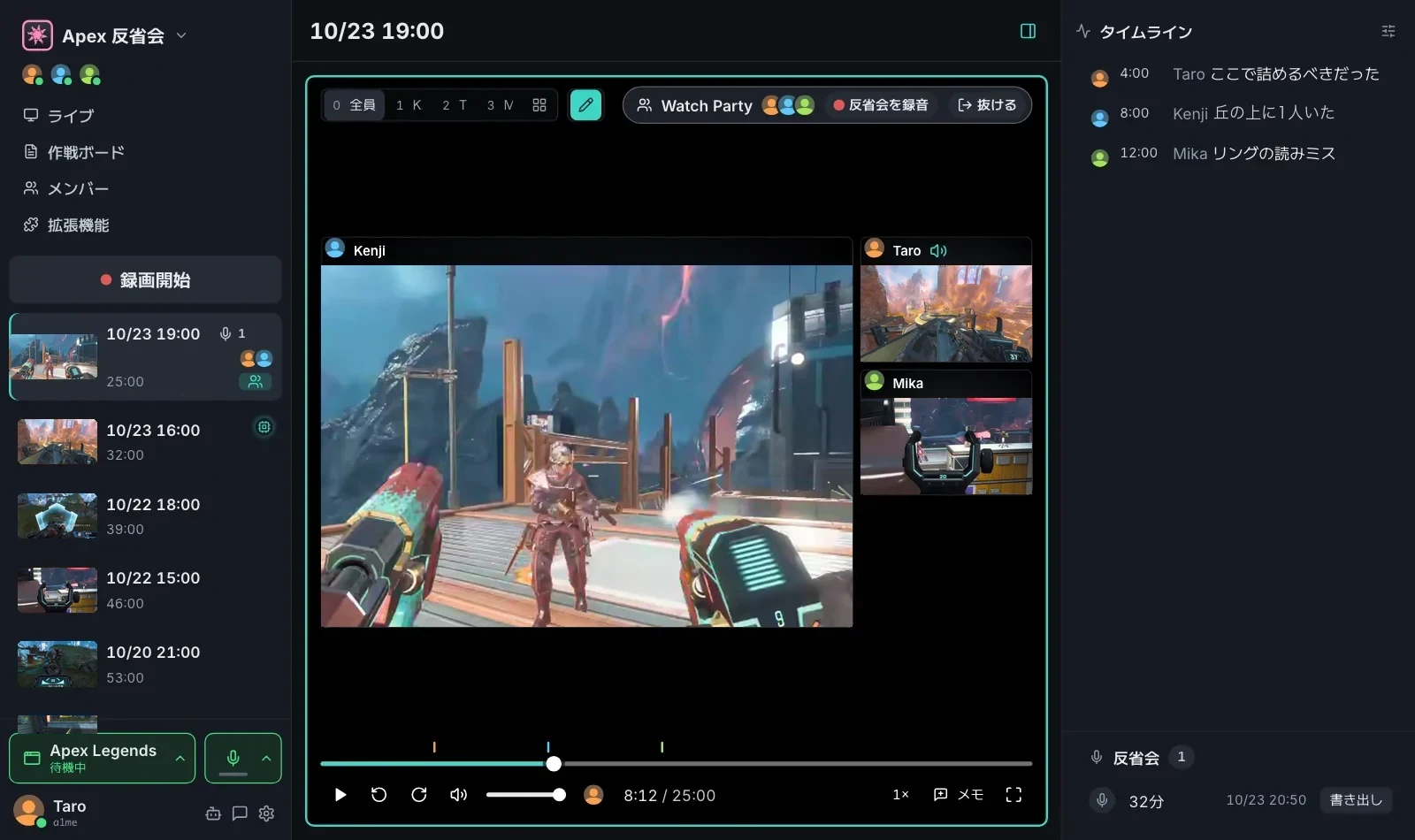
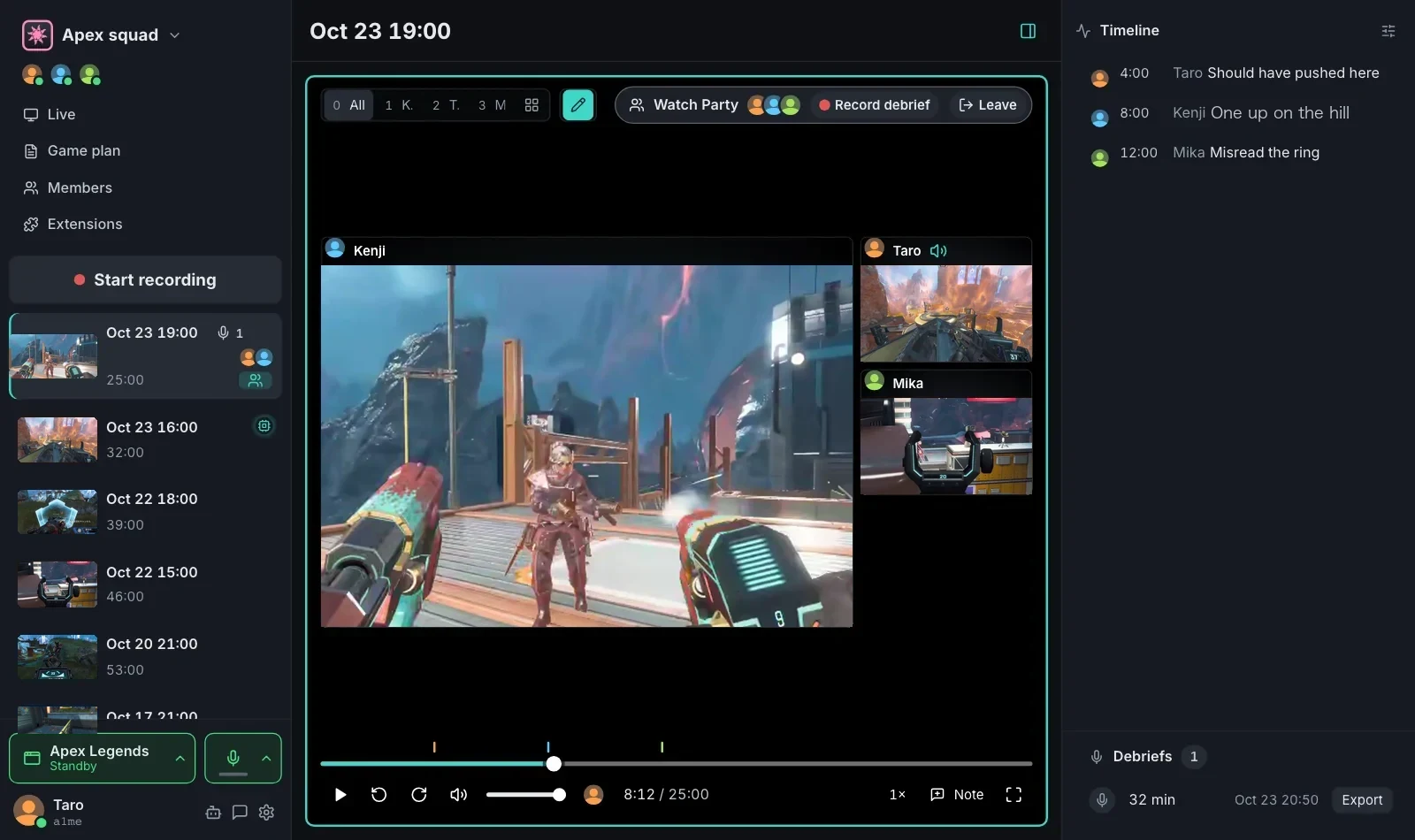
- ルームを作成し、仲間を招待する
- 録画を開始する
- ゲームが終わったら全員で見返す
- Create a room and invite your squad
- Start recording
- Rewatch together when the game ends
Watch Party
Watch Party
誰かが止めたり戻したりすると、全員の画面がそろって動きます。仲間の画面を開けば、その人の声もゲーム音も、そのとき聞こえていたまま。画面に直接書き込めば、言葉で説明しなくても伝わります。
Watch in sync: when anyone pauses or scrubs, everyone's screen follows. Open a teammate's screen to hear their voice and game sound as they heard it. Draw on the screen to show what you mean.
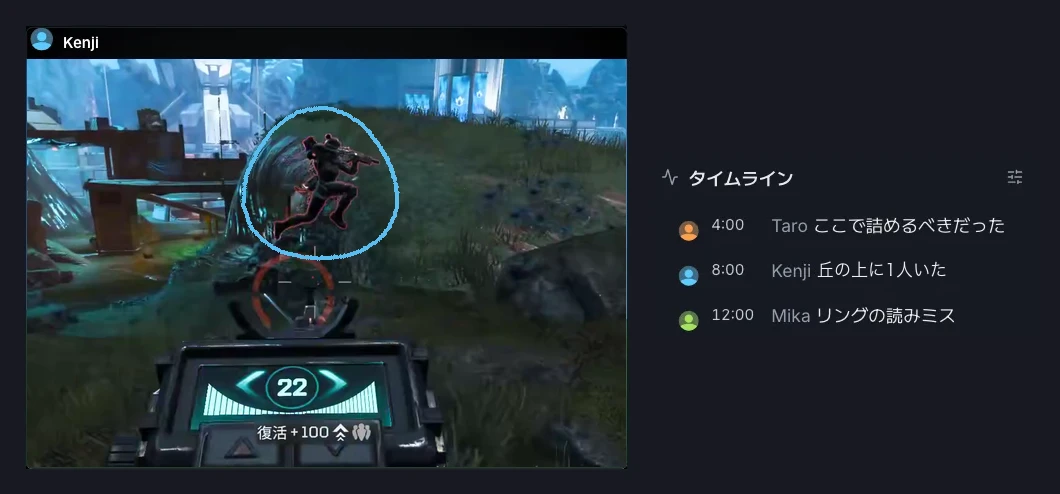
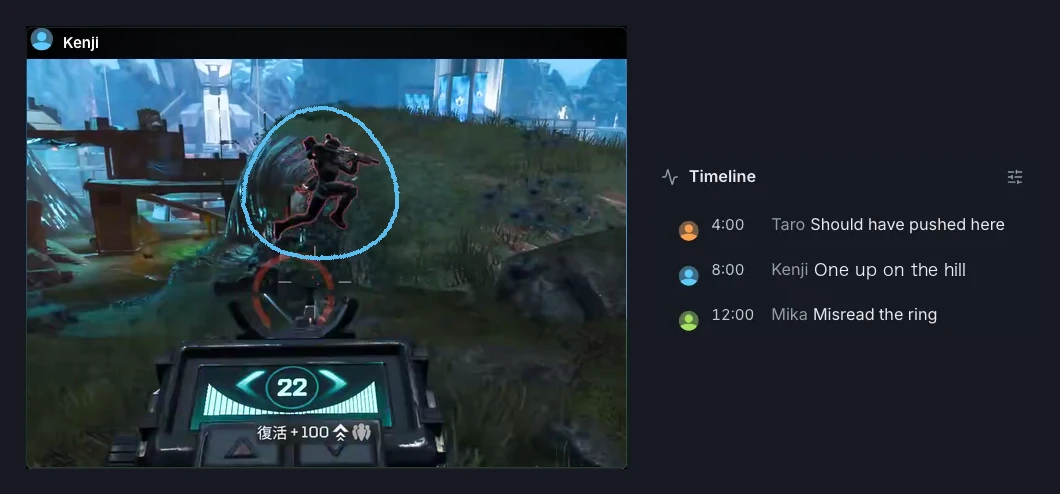
高画質、高速
Sharp and instant
録画は全員の PC に届きます。手元のファイルを再生するので、画質は録ったときのまま、どこへ飛ばしてもすぐ映ります。ゲームが終わったら、そのまま見返せます。
The recordings land on everyone's PC. You're playing a local file, so it looks exactly as recorded and jumps anywhere without buffering. Rewatch it the moment the game ends.
サーバーに上げない、安全な設計。
Nothing goes to a server.
- 録画はメンバーの PC にだけ保存
- 送るときは暗号化
- アカウント登録なし、メールアドレスも不要
- リーダーなし。誰が抜けても使える
- Recordings stay on your squad's PCs
- Encrypted in transit
- No account, no email
- No leader. Anyone can leave and the room keeps working
その他の便利な機能
More for your reviews
- 録画の声と今の会話を聞き分けやすく
- 場面ごとのコメント
- 次のゲームの前に見る作戦ボード
- ゲームごとの解析(随時追加)
- Tell recorded voices from the live call
- Comments pinned to the moment
- A game plan board to check before you queue
- Game-specific analysis, with more on the way
AI 機能は非搭載。でも、AI に優しい設計。
No AI built in. Made for yours.
Claude Code や Codex など、PC で動く好きな AI から使えます。
アプリが提供するツール:
Bring the AI agent on your PC, like Claude Code or Codex. The app gives it tools to:
- 録画と声を読む
- メモを書く
- 作戦ボードを書く
- アプリを操作する
- Read recordings and voices
- Write notes
- Update the game plan board
- Control the app
よくある質問
FAQ
Discord の画面共有でも同じことはできますか?Can't I do the same with Discord screen share?
画面を見せ合うことはできますが、ライブで流すだけなので、あとから見返せません。高画質で流すには有料プランも必要です。
You can show each other your screens, but it's live only, so there's nothing to rewatch later. High quality also needs a paid plan.
OBS でも同じことはできますか?Can't I do the same with OBS?
録画はできますが、全員が設定して録り、あとでファイルを集めて時間を合わせる必要があります。これなら1人が押すだけで全員分がそろい、誰かが止めたり戻したりすると全員の画面も動きます。
You can record with it, but everyone has to set it up, then someone collects the files and lines them up. Here one person hits record and everyone's footage is ready, and when anyone pauses or rewinds, everyone's screen follows.
チート扱いされない?Will anti-cheat flag it?
基本的にはされません。Windows 標準の仕組みで画面と音を録るだけで、ゲームのファイルやメモリには触れません。
It shouldn't. It only records the screen and sound through standard Windows APIs, and never touches the game's files or memory.
FPS は下がらない?Will it hurt my FPS?
基本的には下がりにくいです。ShadowPlay や OBS と同じく、グラボの録画専用の回路で録ります。
Usually not much. Like ShadowPlay and OBS, it records with your graphics card's built-in video encoder.
回線は重くならない?Will it lag my connection?
重くならないように調整できます。録画を送るときに使う帯域は、設定で上限を決められます。送りきれなかった分は、録画が終わってから届きます。
You can keep it from doing that. Set a cap on upload bandwidth, and whatever doesn't fit is sent after recording ends.
録画はどこに送られる?Where do the recordings go?
仲間の PC だけです。暗号化して送り、それぞれの PC に保存します。サーバーには置きません。
Only to your teammates' PCs. They're sent encrypted and saved on each PC, never on a server.
料金は?How much is it?
無料です。
It's free.
Windows の警告が出たWindows warned me when I ran the installer
「詳細情報」から「実行」を押せばインストールできます。
現時点では署名を行っていないため出てしまいますが、将来的には出なくなるようにする予定です。
Click "More info", then "Run anyway" to install. It appears because the installer isn't signed yet. That will change.
どのゲームで使える?Which games does it work with?
どのゲームでも、ゲーム以外のアプリでも使えます。
Any game, and apps that aren't games too.
対応プラットフォームは?Which platforms?
Windows 10 / 11 です。
Windows 10 / 11.
不具合や要望は?Bugs or ideas?
アプリの「フィードバックを送る」からお送りください。
Use Send feedback in the app.